
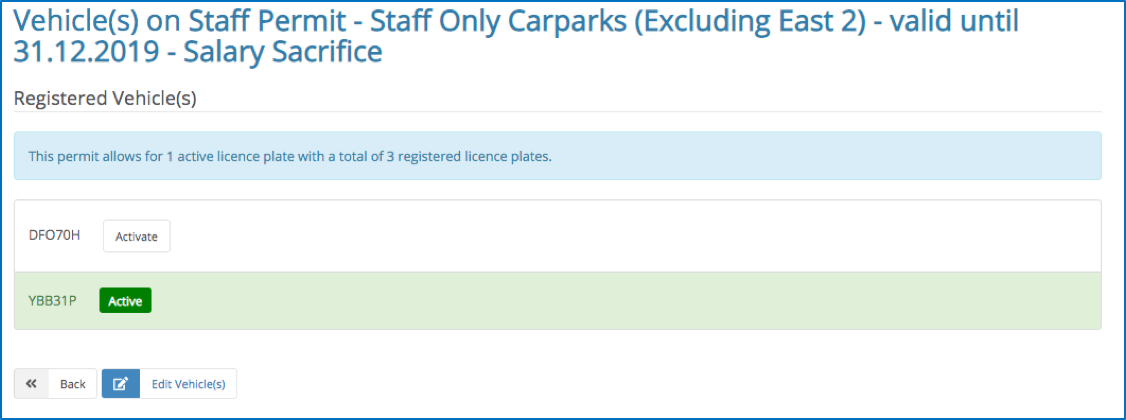
Staff with a parking vPermit will have at least one active car registration number listed on their online vPermit account. Multiple vehicles can be registered on an account but the active vehicle must be selected by the account holder. Our system does not automatically recognise which car you’re driving.
Here’s a recap of the simple steps to interchange your vehicles on a vPermit account:
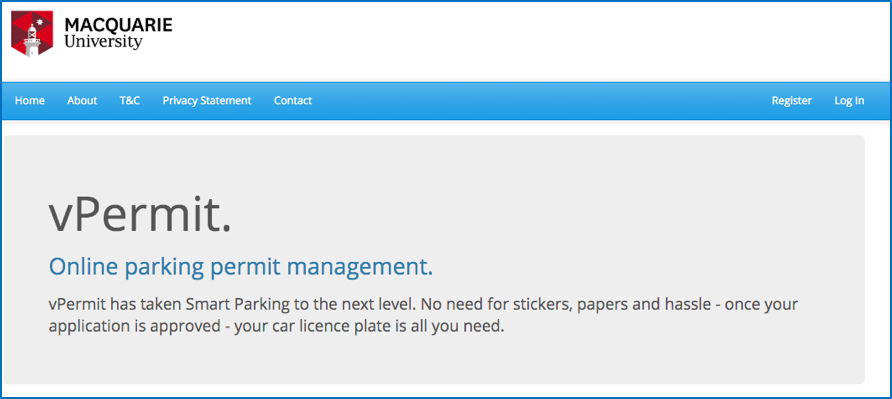
1) Visit the Macquarie University vPermit web page: https://vpermit.com.au/mq
2) Select ‘Log In’ on the top RHS of the screen, enter your log in details.
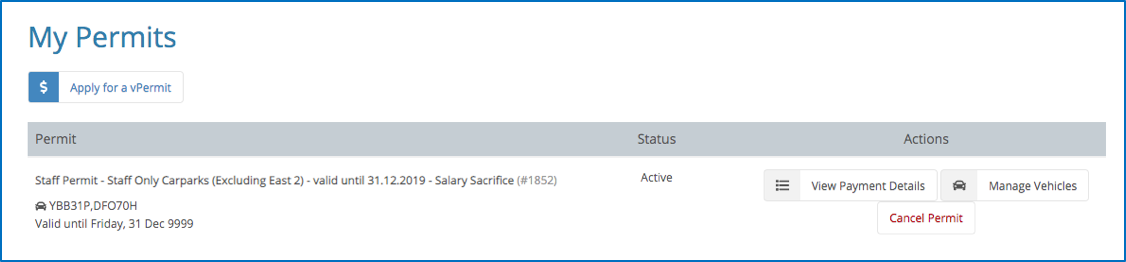
3) Select ‘Manage Vehicles’ on the far RHS of the screen.
4) Select the active registration number using the button next to it – active will display in green. Select ‘Logout’ on the top RHS of the screen.
For more information about staff parking visit: www.mq.edu.au/about/contacts-and-maps/getting-to-macquarie/parking/staff-parking
 Back to homepage
That’s great information. But why isn’t it on the Staff Parking web page??
https://www.mq.edu.au/about/contacts-and-maps/getting-to-macquarie/parking/staff-parking
People should be able to find this information easily – not have to go find it in a past edition of This Week.
Kathy
Hi Kathy, thanks for the suggestion. We will add to staff and student sections of the parking website.